Social login
Let users sign in to your onefold application with Google, GitHub, Discord, GitLab, Microsoft or Facebook, or require a provider connection so your application can read its data.
Your application can use a social provider in two ways. Both run on your own credentials for that provider.
| Sign-in option | Required connection | |
|---|---|---|
| What the user sees | A "Continue with …" button on your hosted sign-in page | A step during consent, asking them to connect their provider account |
| Optional for the user | Yes. It is one way to sign in. | No. Every user of your application completes it. |
| Your application receives | Nothing extra. The user is signed in to their onefold account. | The provider's data, through userinfo |
| Turned on by | Ways in on the Sign-in tab | The provider's switch on the Socials tab, and the socials:<provider> scope in your request |
Supported providers
| Provider | Name in scopes and claims |
|---|---|
| Discord | discord |
facebook | |
| GitHub | github |
| GitLab | gitlab |
google | |
| Microsoft | microsoft |
Which providers you can configure depends on your plan (social_providers_allowed). See
Plans and limits.
Configure a provider
Copy the callback URL
Open the application's Socials tab and expand the provider. It shows the callback URL to register with that provider. If your application has a custom sign-in domain, the tab shows a second callback URL on that domain; register both.
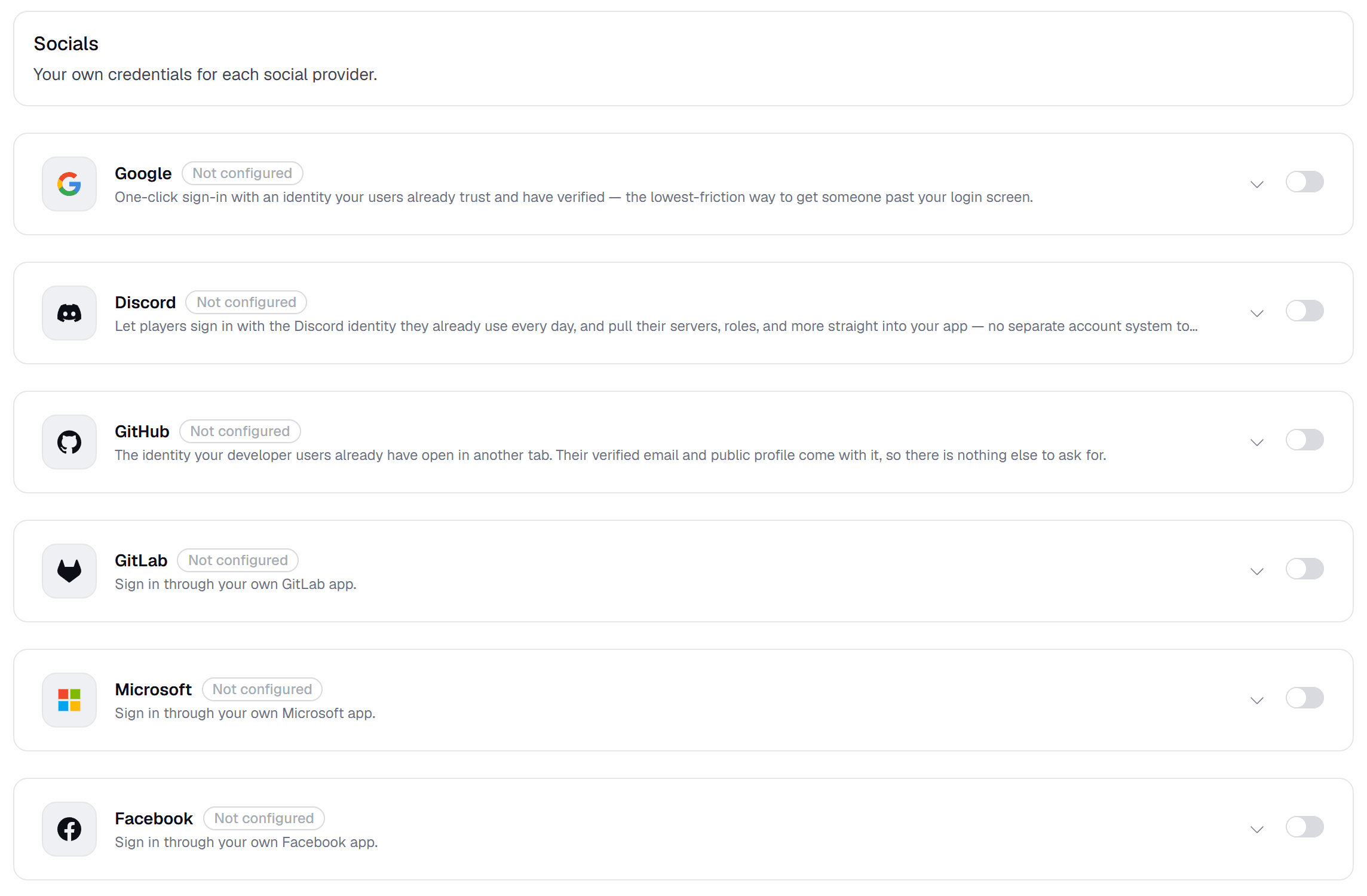 The Socials tab. Expand a provider to enter its credentials.
Create an OAuth application at the provider
In the provider's developer console, create an OAuth application and set its callback (redirect) URL to the value you copied. The provider gives you a client ID and a client secret.
For Microsoft, also add the email and xms_edov optional claims to the ID token in your
app registration's token configuration. Without them, no address from Microsoft counts as
verified (see Email addresses from a provider).
Add the credentials
Back on the Socials tab, enter the provider's client ID and client secret.
Use it
- To offer it as a sign-in option, leave it on under Ways in on the Sign-in tab. It appears on your sign-in page once its credentials are saved.
- To require the connection, turn the provider on with its switch on the Socials tab, and
request the
socials:<provider>scope in your authorization request, for examplescope=openid identity socials:github. The Sign-in tab lists it under Required connections.
A socials:<provider> scope can be requested only after that provider's credentials are
configured.
An application owned by an organization can use the organization's credentials for a provider instead of its own.
Email addresses from a provider
A provider's address counts as verified only when the provider says it is. Google, GitLab and Discord send an explicit verified signal, and GitHub is trusted only for an address it lists as verified. Microsoft is trusted only when it includes its verified-email claim. Facebook never says, so an address from Facebook is never trusted.
When the provider does not vouch for the address, a first sign-in creates no account. The user is sent a code at that address and enters it to finish, and the provider is linked only then. When the address already belongs to an account, the sign-in is not linked to it: the holder is told by email that someone tried, and no code is sent. A provider can therefore never give someone access to an account on an address they only claim.
Read the provider's data
When a user has granted a socials:<provider> scope, userinfo returns a block keyed by the
provider's name, holding the provider's scopes, its data and an expired flag.
Scopes and claims describes the block.
onefold refreshes the provider's data when you read userinfo, so the block reflects the
provider's current state. When the refresh fails, for example because the user revoked access
at the provider, expired is true.
A user's grant to your application ends when they revoke it, when you remove them, when they disconnect that provider from their onefold connections, when your application or your organization blocks them, when their account is disabled or its password is reset, when their profile moves to another account, or when the application is deleted. onefold then deletes the provider data it held for that grant and asks the provider to revoke the tokens issued to your client.
Revocation at the provider is best effort. Microsoft offers no revocation, so its tokens expire on their own. Google, Discord and Facebook end a client's whole authorization for a person, so while another application using the same provider credentials still holds a grant for that provider account, onefold deletes its own copy and leaves the authorization in place.
Lifting a block restores no provider data. The next authorization connects the provider again.
Signing up through a provider
A person's first sign-in with a provider creates their onefold account. If the provider does not confirm their email address, they enter an emailed code first, and a provider account with no email address cannot be used to sign up. See Sign-up.
What your application does not receive
- How the user signed in. A user who chose "Continue with GitHub" and one who used a password look the same to your application, unless you also require the GitHub connection.
- The provider's tokens. onefold holds them and returns the provider's data. Your application never receives a provider access token.
Sign-in methods
The ways a user can sign in to a onefold application — password, passkey, emailed link, emailed code and social providers — and how sign-up, verification and recovery work.
Sign-up questions
Ask your users your own questions during sign-up on the onefold hosted pages, choose where each question appears, and read the answers.