Authorization request and callback
The parameters of the onefold authorization request, the PKCE and redirect URI rules, and what your callback receives, including the iss parameter.
Use the authorization code flow with PKCE to sign users in. Your application redirects the browser to onefold with an authorization request, and onefold redirects it back to your callback with a code. This page is the reference for both halves.
The request
GET https://onefold.eitozx.com/o/authorize/
| Parameter | Required | Value |
|---|---|---|
response_type | Yes | code. No other response type is supported. |
client_id | Yes | Your client ID |
redirect_uri | Recommended | One of your registered redirect URIs, exactly as registered |
scope | Yes | Space-separated scopes, for example openid identity |
state | Recommended | A random value you check on the callback |
code_challenge | Yes, unless the application has turned off PKCE | The PKCE challenge |
code_challenge_method | With code_challenge | S256 |
nonce | Optional | A random value copied into the ID token |
prompt | Optional | none to check for an existing session without showing a page; login to make the user sign in again even when they have a session |
max_age | Optional | The most seconds since the user last signed in. A sign-in older than that is made again, and auth_time in the ID token says when it happened. |
resource | Optional | A protected resource the access token is for. See Protecting your own API. |
A request can ask only for scopes enabled on the application. See Scopes and claims.
PKCE
Every application requires a PKCE challenge by default, including a confidential client that holds a client secret. This is stricter than many providers, and it is the usual reason a configuration that works elsewhere fails here.
A confidential client can turn off Require PKCE on the application's OAuth2 tab, but
only while every one of its redirect URIs is an https address on a host other than
localhost or a loopback address. PKCE is always required for:
- a public client. Making a client public turns Require PKCE back on.
- an application with a custom-scheme redirect URI such as
myapp://callback, or a loopback redirect URI. Another application on the same device can receive a code sent there, and the verifier is what keeps that code useless to it.
Whether or not the application requires it:
code_challenge_methodmust beS256.plainis refused.- Omitting
code_challenge_methodmeansplain, so it is refused too. - A challenge you send is always verified at the token endpoint.
- Create a new verifier for every sign-in.
The verifier is a random string of 43 to 128 characters from A-Z, a-z, 0-9, -, .,
_ and ~. The challenge is the SHA-256 hash of the verifier, base64url-encoded without
padding. Hash the verifier string itself, not the random bytes you built it from.
verifier=$(openssl rand -base64 32 | tr '+/' '-_' | tr -d '=')
challenge=$(printf '%s' "$verifier" | openssl dgst -sha256 -binary | openssl base64 | tr '+/' '-_' | tr -d '=')
Send the challenge in the authorization request and keep the verifier. You send the verifier in the token exchange.
State
state ties the callback to the browser that started the sign-in. Generate a random value,
store it in the user's session, send it in the request, and compare it on the callback. Refuse
a callback whose state is missing or different.
What the user sees
The sign-in page. Your application's hosted sign-in page, under your application's name, showing the methods you enabled. A user who already has a session on onefold skips it.
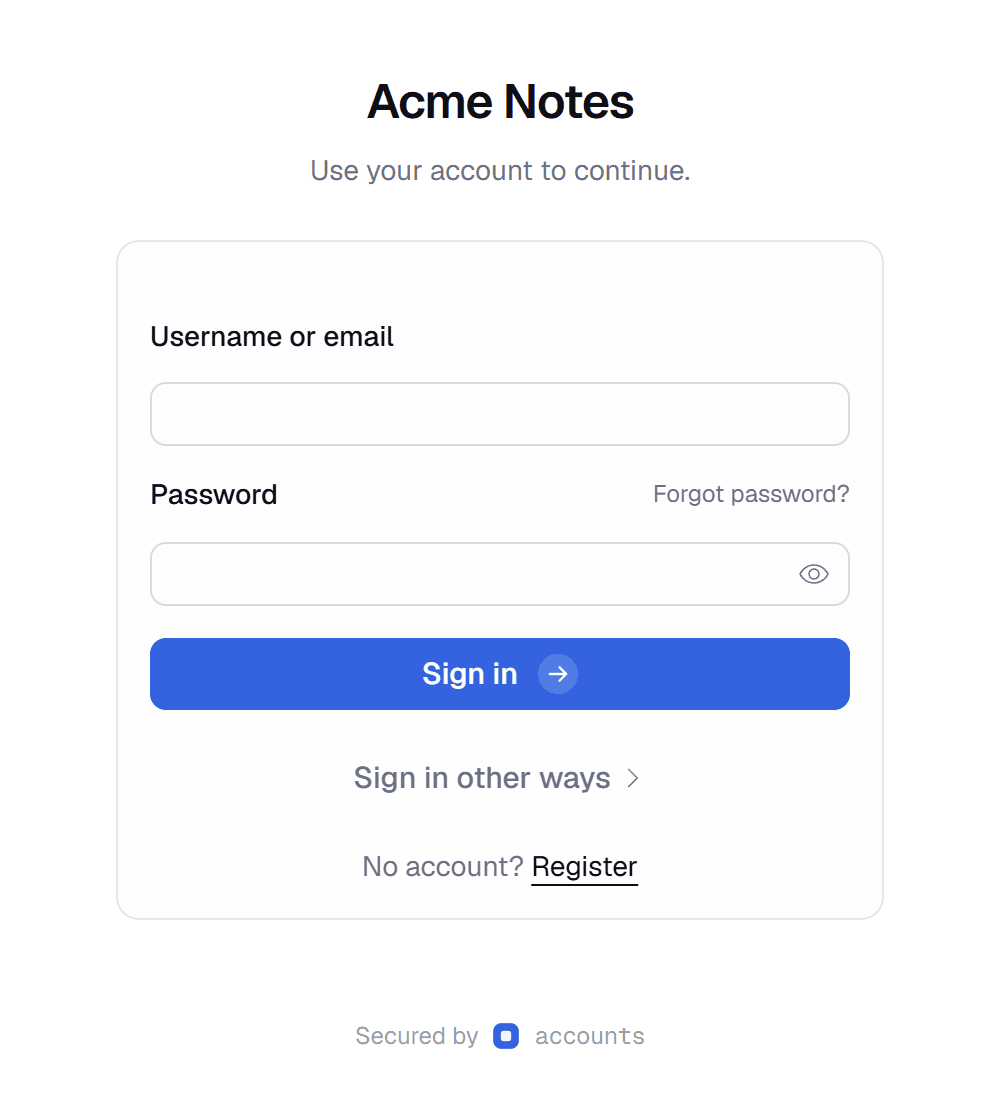 The hosted sign-in page of an application named Acme Notes.
The consent screen. The scopes your application asks for, one line each, and the host the user returns to. The user chooses Authorize or Deny. onefold decides whether this screen appears; no request parameter can skip it.
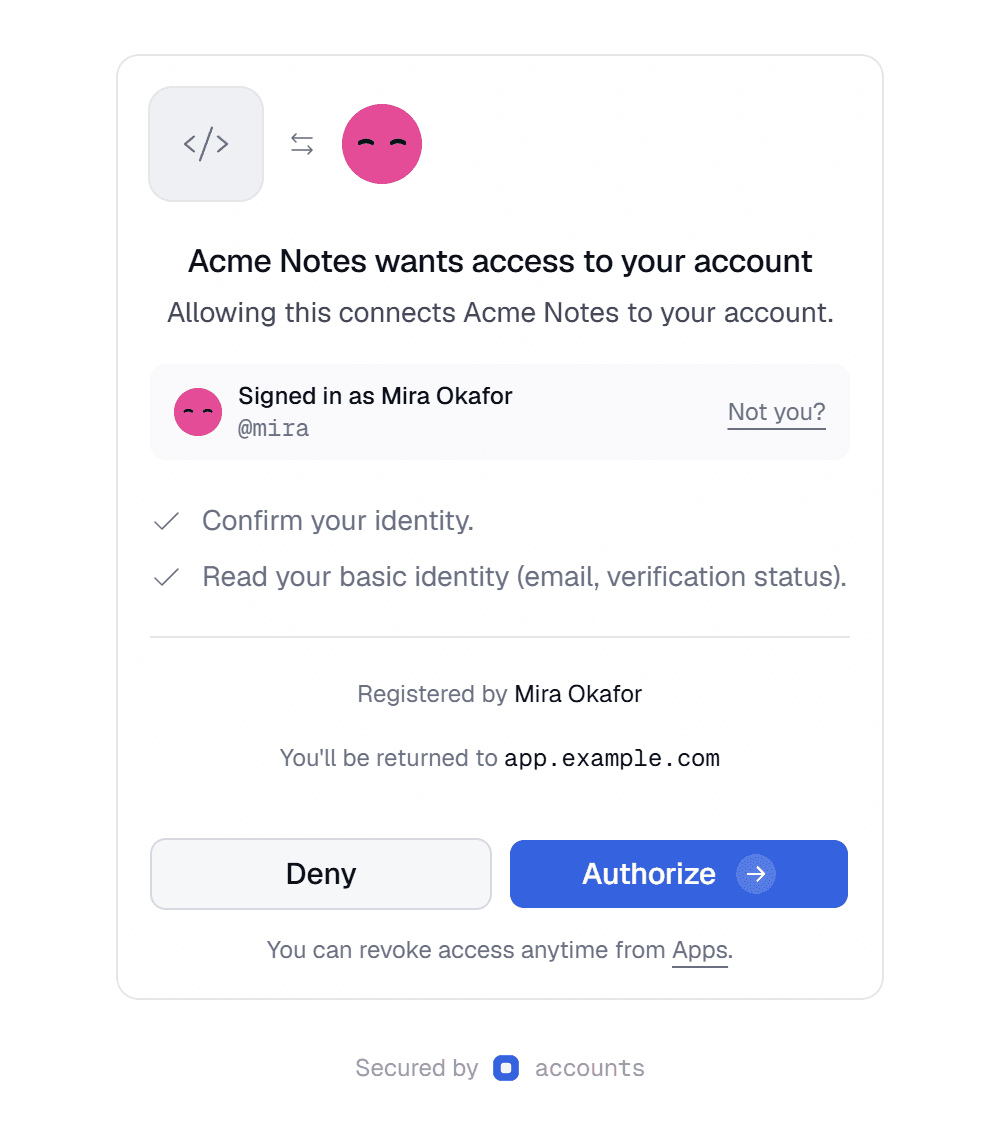 The consent screen for a request with scope=openid identity.
Your callback. The browser returns to your redirect URI.
The callback
On success, onefold redirects to your redirect URI:
REDIRECT_URI?code=AUTHORIZATION_CODE&state=STATE&iss=https%3A%2F%2Fonefold.eitozx.com| Parameter | Meaning |
|---|---|
code | The authorization code. It works once and expires after 60 seconds. |
state | The value you sent |
iss | The issuer that produced this response |
Your callback then:
- checks
state, - exchanges the code,
- verifies the ID token,
- starts your application's own session.
The iss parameter
Your callback must accept iss
Every response to your redirect URI carries iss, on success and on error. A callback
handler that rejects a request because of a query parameter it does not expect fails on
every sign-in.
iss is the issuer identifier, the same value as issuer in the
discovery document. In production it is
https://onefold.eitozx.com.
If your application signs people in through more than one provider, compare iss with the
issuer you sent the request to before you exchange the code, and refuse the callback when they
differ. An application that uses only onefold can ignore the value.
Errors at your callback
When a request fails after onefold has validated the redirect URI, error replaces code.
state and iss are still present.
error | Meaning |
|---|---|
access_denied | The user declined on the consent screen |
invalid_scope | A requested scope is unknown, or not enabled for your application |
login_required | You sent prompt=none and the user has no session on onefold, their sign-in is older than the max_age you sent, or their session does not meet the organization's security policy: it is older than the policy allows, or was made on another application's page where the policy does not accept that |
interaction_required | You sent prompt=none and the organization's security policy requires a second factor the user has not provided in this session |
consent_required | You sent prompt=none and the user would be shown the consent screen |
invalid_request | A required parameter is missing or malformed, for example no code_challenge, or a max_age that is not a whole, non-negative number of seconds |
request_not_supported | You sent a request parameter. Request objects are not supported; send the parameters in the query string. |
request_uri_not_supported | You sent a request_uri parameter. It is not supported; send the parameters in the query string. |
Without prompt=none, none of these three is an error: onefold asks the user for the second
factor or the fresh sign-in on the hosted sign-in page, or shows the consent screen, and then
continues the authorization. See Security policy.
Errors that never reach your callback
onefold shows its own error page, and does not redirect, when it cannot trust the redirect or when only you can fix the problem:
- the
client_idis unknown - the
redirect_uriis not registered for the application - the application has no redirect URI
code_challenge_methodis notS256resourcenames a protected resource that is not registered
Redirect URI rules
- Matching is exact. A different path, port, trailing slash or query string is a different URI.
httpsandhttpURIs are accepted, and so is an application's own scheme such asmyapp://callbackfor mobile and desktop applications.- A redirect URI cannot contain a fragment.
Register redirect URIs on the application's OAuth2 tab. See Set up an application.